Blackouts and Warps
Blackout
Hiding the stage by cutting the lights, instead of lowering the curtain, during a scene change is called a "blackout."
In VRChat, cutting the lights alone may not make things completely dark, so the blackout is achieved by covering the audience area with a black Cube that has a high render priority.
The blackout Cube is included in the StageTimelineManager Prefab.
To use it, place it anywhere you like in the Scene.
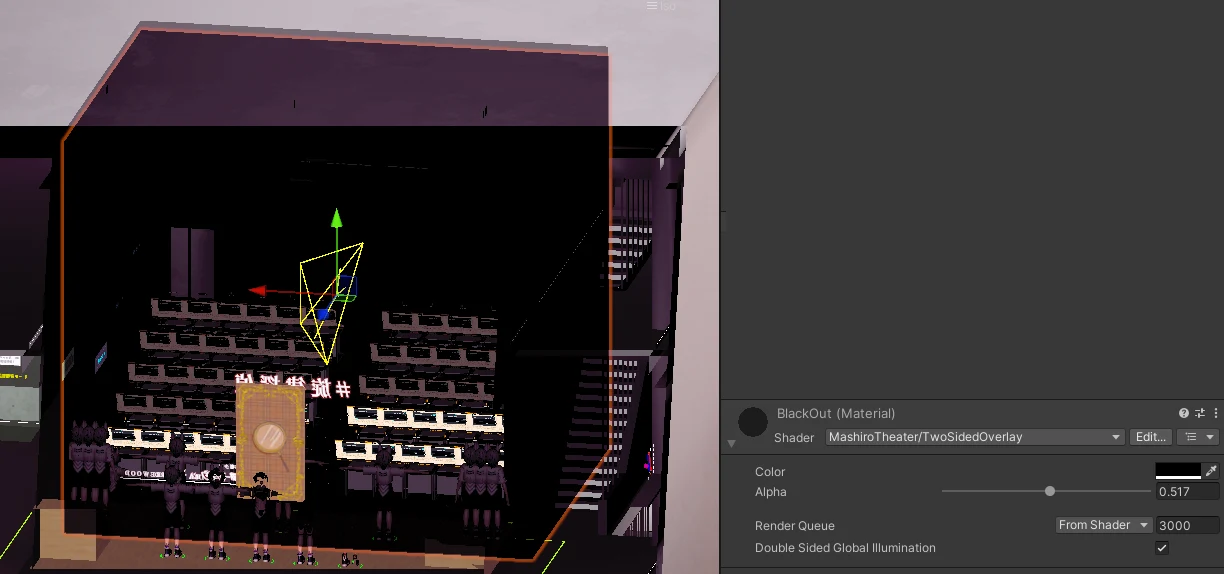
While a blackout is in effect, you can enable a "blackout guide" (「暗転中ガイド」) as a marker. Add any object under "Blackout" (「暗転」) in the Settings (「設定」) tab.
You can specify multiple blackout Cubes and blackout guides.
Warp
A feature that forcibly moves the player assigned to a character to a specified location.
In the Timeline Builder, you specify the warp timing and destination for each character. Characters are linked to players inside VRChat (Registering Actors).
Registering Characters
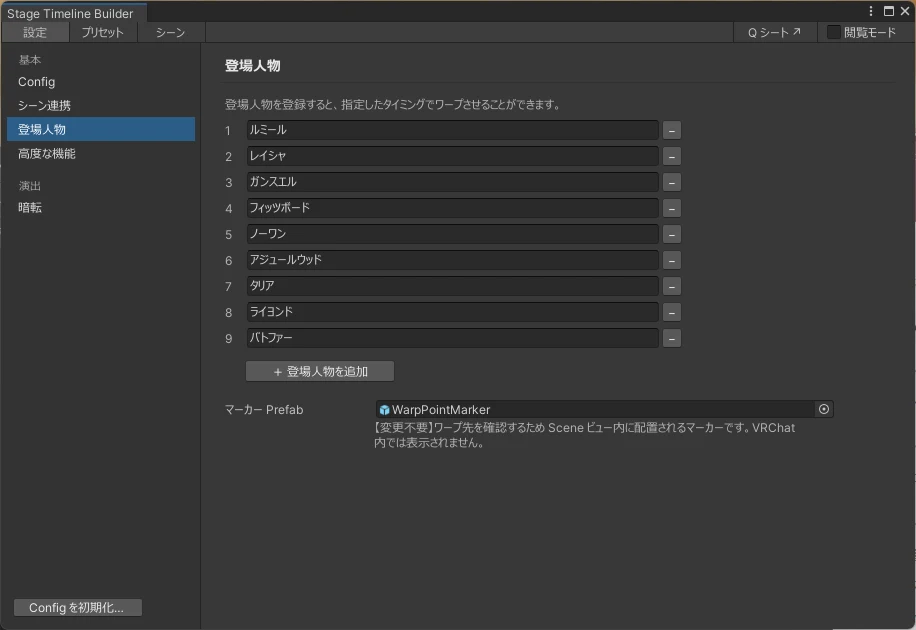
Register the characters you want to warp under "Characters" (「登場人物」) in the Settings tab.
Adding a Warp
When adding a warp, you specify a character in the same way you specify a preset for other effects.
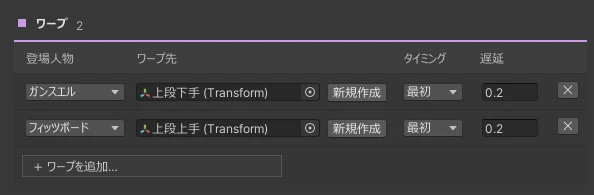
Next, press the [New] (「新規作成」) button to create a warp destination object in the scene. The object is created inside the StageTimelineManager prefab, so you can reuse it.
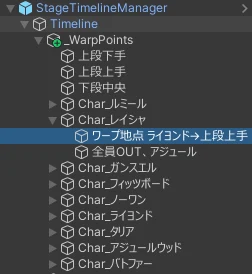
Adjusting the Warp Destination
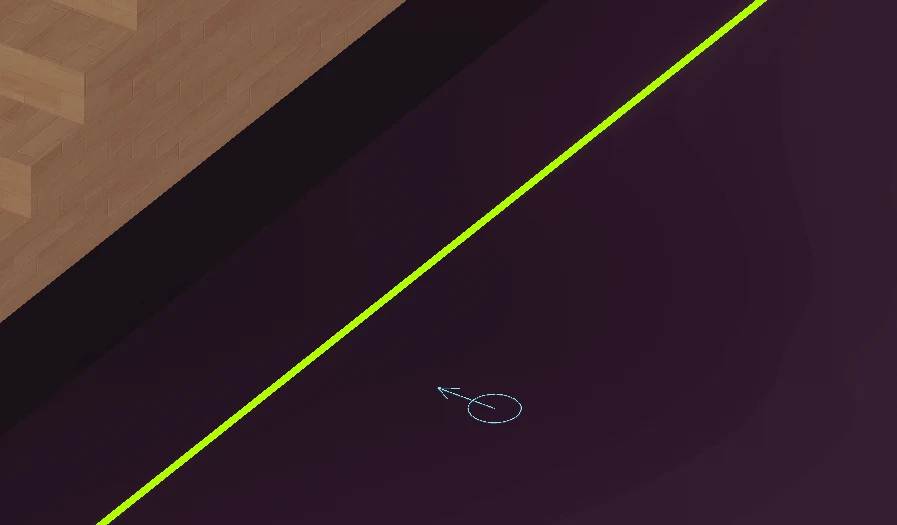
If the Gizmos menu is enabled, a marker appears at the object's position.
Move the marker to where you want the actor to go. The direction of the arrow is the direction the actor will face after the warp.
We also take questions about the tools on the Mashiro Theater Discord server. Feel free to join!