
Switching Cameras
Overview
Using Cinemachine, you can switch camera angles (Virtual Cameras) at set points within a scene.
This assumes that Cinemachine is already set up and that you have a Virtual Camera for each angle you need.
Tip
Detailed usage of Cinemachine is not covered here.
The camera feed can be projected onto a monitor (RenderTexture) in the world, or recorded and streamed using commercially available gimmicks.
Enabling the Feature
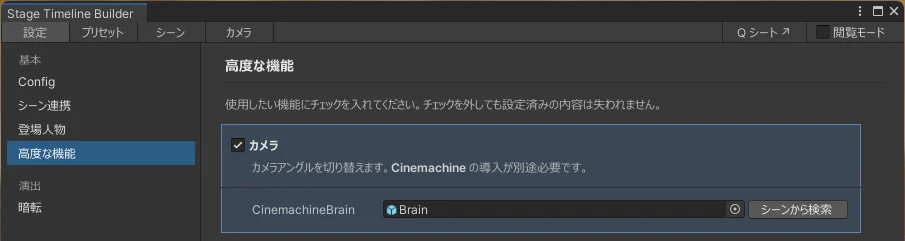
Turn on Camera (「カメラ」) under "Advanced Features" (「高度な機能」) in the Settings (「設定」) tab and assign a CinemachineBrain; the Camera tab will then appear.
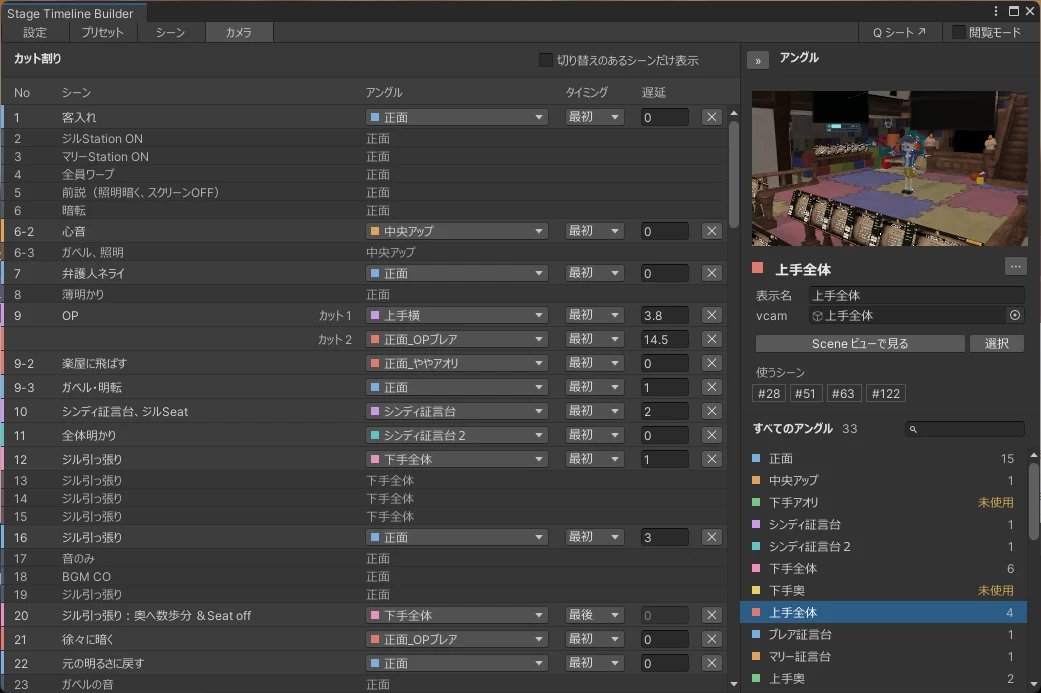
The left side is for editing shot switching, and the right side is for managing angles.
Registering Angles
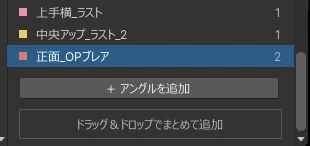
Press the [+ Add Angle] (「+ アングルを追加」) button at the bottom of "All Angles" (「すべてのアングル」) and assign a Virtual Camera in the scene to vcam. You can preview the angle's view right there.
You can also add several at once by drag and drop.
Switching Angles
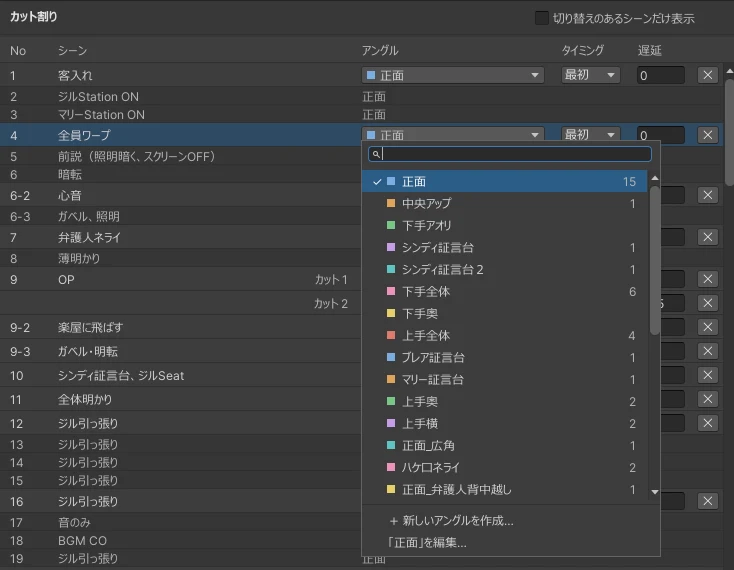
Hover over the row of the scene where you want to switch, press the [+ Add Switch] (「+ 切り替えを追加」) button, and choose an angle.
We also take questions about the tools on the Mashiro Theater Discord server. Feel free to join!